The missing watchdog for your AI coding agents
AI coding agents are fantastic programming interfaces. But you don't know when they drift, don't follow instructions precisely, break rules, drop in performance, and burn tokens because they have lost context. TruckStop stops these from happening.
free for individual developers • runs on the CLIs and subscriptions you already have
AI coding agents are brilliant.
They also do weird stuff.
Your watch rules keep sessions scoped. When one wanders, the correction lands inside the session, in front of the agent.
Five failures in a row and the watcher steps in: read the error, change the approach.
Big tasks get a flight plan with a budget. Blow past it and the watcher says converge.
That correction is the product's real output. The agent hears it and stops.
How it works
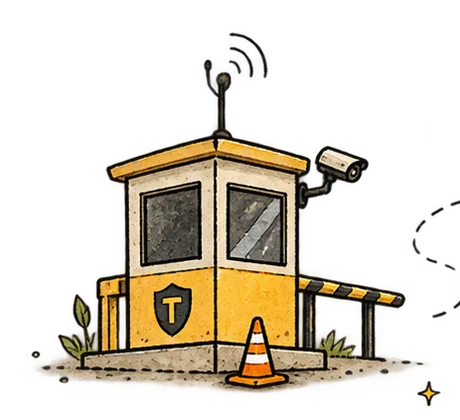
TruckStop sits beside the session. Not in front of it.
It is not a router and not a proxy. Your session runs fully native in your own CLI, on your own subscription. TruckStop reads along and speaks up when something goes wrong.
 Watch
Watch
It joins every Claude Code and Codex session on the machine. No workflow change.
 Notice
Error loops, file churn, budget burn past the plan, and sessions breaking your rules.
 Steer
Steer
Corrections appear inside the session, visible to you and the agent, attributed to the watcher.
 Remember
It learns what worked in this repo, with this model, in your environment.
Watching, live
A session, caught mid-loop
A session is wiring a payment provider's settlement webhook. The signature check keeps failing, and the agent keeps trying the same fix. The watcher counts five failures and steps in.
The fix was in the error output the whole time. The watcher's correction is its real output; the loop it breaks is the one every developer has watched happen.
Planning mode
Sized before it starts, on the model it deserves
Two VPs of engineering asked the same question in the same week: what should this task cost, and which model should do it. Turn planning on and TruckStop answers both before the work begins — the breakdown lands in the session, so the agent sees it too.
Then three ways to run the same stages, priced stage by stage — not a flat estimate, the sum of each stage's share at that stage's model rate:
And the same question about a small fix gets the opposite answer, which is where the money is:
The size comes from a model reading the task, because a keyword scorer calls a payment-rails migration "small". The price and the routing come from your own machine's history. Routing to a cheaper model is marked measured where graded benchmark runs support it, and a prior where they do not.
Watch rules
Your engineering judgment, enforced.
Write rules in plain language. Every session on the machine is held to them, in Claude Code and Codex alike. Seed them from your own CLAUDE.md, or let TruckStop mine your recent sessions for mistakes and propose the rules itself.
Trust
Know why you can trust the diff.
Every watched session ends with a summary you can check before you read a single line: did your rules hold, did it drift, did it stay on budget. Type truckstop review in the project folder.
TruckStop doesn't replace developer judgment. It protects it. The summary says "ready for your review", never "safe to ship". The decision stays yours.
Cost
Bad sessions are expensive sessions.
Loops cost tokens. Drift costs tokens. Needless rewrites cost tokens. Failed attempts cost tokens. TruckStop watches for all of them, and on big tasks it prices the work up front: a flight plan with stages, a token estimate, and a dollar figure, held while the session runs.
TruckStop doesn't make sessions cheaper by starving them of tokens. It makes them cheaper by keeping them useful.
Privacy
Watching doesn't mean spying.
Private mode is the default. Nothing about your sessions leaves your machine unless you turn it on: the watcher, your rules, flight plans and the local console all run on your own machine, on your own CLI. Your account identifies the machine with a liveness ping, and nothing else.
Turn it on and TruckStop ML learns from your fleet and sends steering back. Then, and only then, derived numbers leave: counts, outcomes, drift events. Never your code, your prompts, or your commands. One switch in the menu bar, and an audit page that shows exactly what would ship before it does.
The cloud model
Backed by a powerful ML model
Access TruckStop's ML model that has been trained on over 79,000 agent sessions, or disable it and just work with local intelligence. You have complete freedom. Whatever you choose, your data never leaves your computer.
Every session teaches TruckStop a little more about how AI coding sessions succeed, and how they go wrong. That behavioral model is what comes back to your machines.
Why us
We built this because we needed it
We built this because we needed it when we worked on live agents in hyperscaler fleets, and we didn't have anything like this. Nobody could see what the agents were doing, how much money they were burning, which was only caught after the fact. Sometimes, after a bug, or other times, after a big bill from finance.
agent sessions observed and learned from — and counting
Every number on your console is measured from your own sessions. We publish how each one is calculated.
FAQ
The questions we get
Why do I need a watchdog for my coding agents?
Because right now you have no visibility into your AI coding sessions and no way to steer them. An agent runs for an hour, retries the same failing command twelve times, edits the same file in circles, burns through tokens, and you find out when you read the diff or the bill. TruckStop watches every session while it runs, shows you what is happening, and steps in when it goes wrong. That makes sessions cheaper, more accurate, and over time customized to how you work.
Does it replace Claude Code, Codex, or Gemini?
No. It joins them. Your sessions stay fully native in the CLIs and subscriptions you already have: your tools, your MCP servers, your terminal. You keep typing claude and codex like you do today. TruckStop watches from the side and gets involved only when a session drifts or breaks one of your rules. Today it watches Claude Code and Codex sessions; Gemini, Cursor, and Copilot are coming.
How does it make sessions cheaper?
Once, our finance team reached out with a bill for $531K for something that should have taken less than $50K. Tracing the agent call logs, we learned a bunch of lessons. Most of that money burned in ways nobody saw while it was happening: retry loops, drifted sessions, work that should have stopped an hour earlier. TruckStop catches those while the session runs. On big tasks it also puts a flight plan in the session up front: stages, a token estimate, a cost figure, and it holds the session to that budget.
What does "steering" actually do?
The watcher looks for error streaks, file-churn loops, budget burn past the plan, and sessions breaking the rules you wrote. When it steps in, the correction appears inside the session, visible to you and the agent, clearly attributed to the watcher. It becomes a partner that helps you steer back from drift. You can turn it off if you want, but developers usually don't.
Why do I need an account?
Security and identity. Your token ties every daemon to you: no anonymous installs, and you can see every machine running under your name and revoke any of them. It is also how intelligence comes back: the TruckStop ML model learns from your outcomes and returns steering tuned to your fleet, and that channel needs to know whose fleet it is.
What leaves my machine?
A local brain on your computer stays local. A global TruckStop ML model runs in a secure cloud and receives only derived numbers: model details, context size, tool counts, task metrics, file basenames, commit subjects, tokens, outcomes. We never ship prompts, file contents, command text, secrets, or full paths. We built this enterprise-grade from day one because we know the real pain points. Every machine can show you the exact payload of what it ships, and you can control it.
Where does the intelligence come from?
There are two layers working together. Models trained across 79,000+ real production agent sessions give every new user a working prior on day one. Your own fleet's history then augments those models, and every watched session feeds a per-project, per-model track record. As a result, the same intelligence becomes contextual to your environment: your codebases, your tools, what has actually worked for you.
What does it cost?
Free for individual developers — the sessions themselves run on your existing subscriptions. Teams and enterprises: contact us.
Your agent can code. Give it some supervision.
Have an invite code? Create your account, copy one install command, and your sessions are watched in minutes.
Sign in / create accountsignup requires an invite code • free for individual developers
Enterprises — talk to us
Fleets, shared budgets and track records, deployment questions — write to us and we'll reply by email.